Gisted / How it works

Product & delivery

How Gisted works

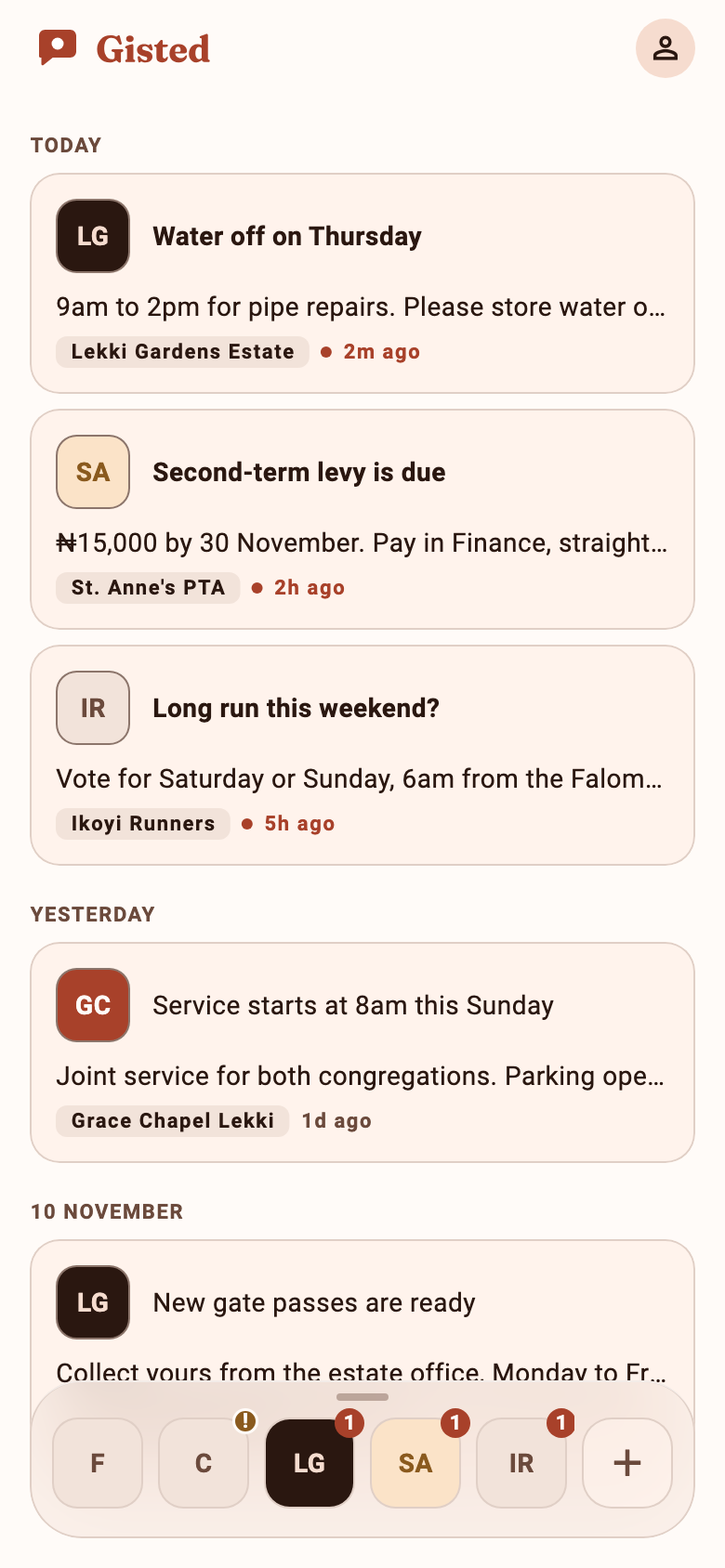
Gisted is the consumer app. Businesses send through GistSend. People only receive mail and notifications after they install the app, verify email, and explicitly pair with a sender — never from purchased or scraped lists.

  • Transactional only
  • Pairing = opt-in
  • No list import
  • Nigeria-first

What we are — and are not

We are

  • A notification platform: API for businesses, mobile inbox for people
  • Opt-in by design: install → email OTP account → pair to an App ID
  • Two mail jobs planned: sign-in codes (live), and notification email fallback when push cannot deliver (not enabled yet)
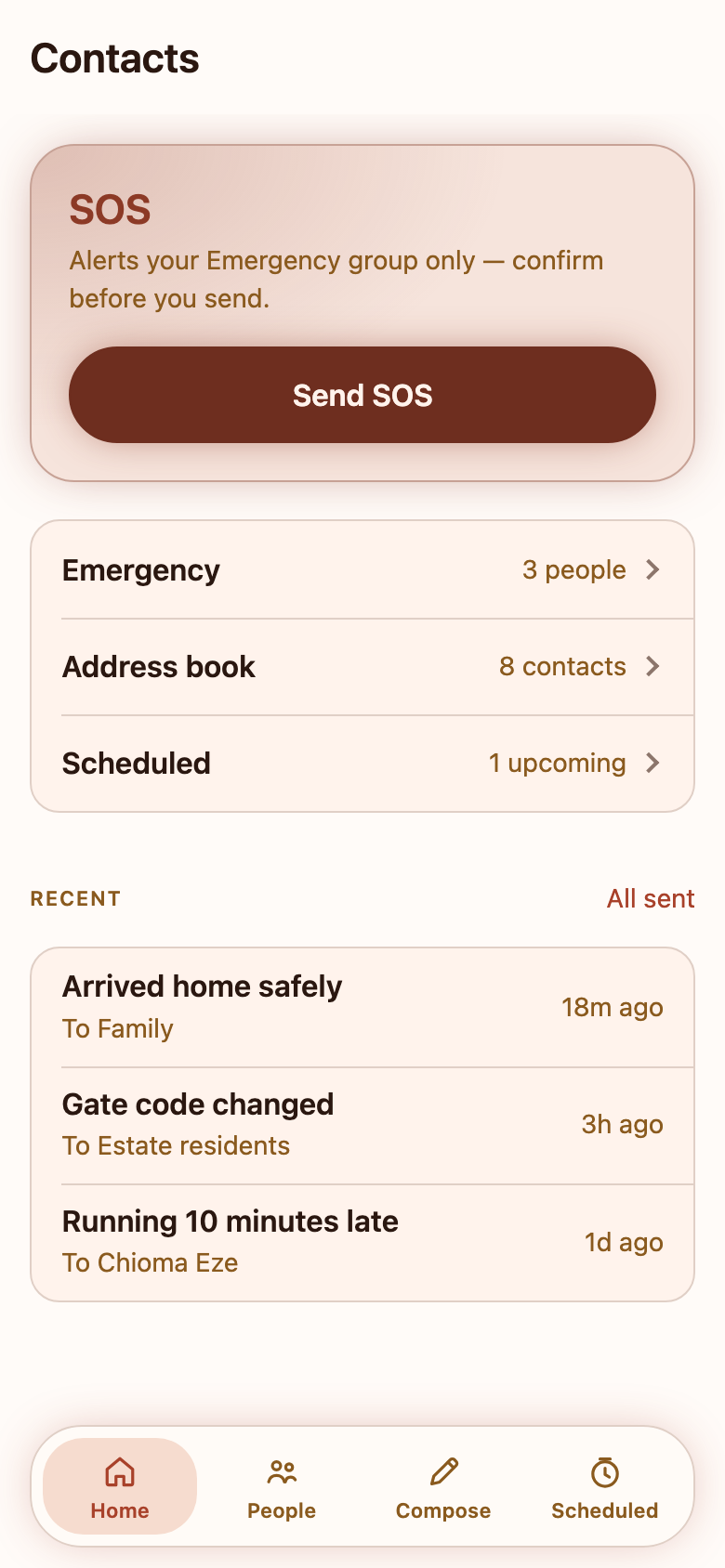
  • In-network Contacts / SOS among people who already have Gisted accounts
We are not

  • A bulk marketing ESP or newsletter tool
  • A place to upload CSVs or buy/scrape recipient lists
  • Able to address arbitrary emails from the send API
  • Cold outreach to people who never installed Gisted

Domains: consumer staygisted.com · platform gistsend.com · mail from auth.staygisted.com and notify.staygisted.com

How accounts and contacts are acquired

Every recipient path starts inside the app. There is no stranger mail.

  1. 1

    Install Gisted

    User installs the consumer app on their own device.

  2. 2

    Verify email (OTP)

    Account creation / sign-in uses a one-time code mailed to the address they typed. That is transactional auth mail.

  3. 3

    Explicitly pair with a business

    User enters or opens an App ID / pairing link. That affirmative step is the subscription boundary. Unpair stops delivery.

  4. 4

    Contacts is in-network only

    The Contacts mini-app can only reach peers who already have a verified Gisted account. Delivery is in-app notification today; email fallback to their verified address is designed but not enabled yet — not outbound mail to strangers.

API rule: POST /v1/messages targets paired audiences (to: *) or a paired device install_id. Unmatchable targets are refused with 404 before anything is queued. Admin console send follows the same paired-audience rule.

What we send with Postmark

Two streams, separate reputation. Neither is marketing broadcast. Auth mail is live. Notification fallback mail is built in the product but not enabled in production yet — Postmark approval is part of turning it on.

Stream · auth · live

Sign-in codes

auth.staygisted.com

Low volume. One-time codes for Gisted and operator Admin console. Near-zero complaint expectation — the user requested the code.

From: Gisted <codes@auth.staygisted.com>

Subject: Your Gisted sign-in code

Your code is 482915. It expires in a few minutes.

Stream · notify · not live yet

Notification fallback

notify.staygisted.com

Designed for when push cannot deliver a message the user already opted into by pairing. Not newsletters. Not sending in production until this stream is approved and switched on.

From: Gisted <alerts@notify.staygisted.com>

Subject: Morning Prayers

Don’t forget to say your prayers — same copy as the in-app notification.

Unsubscribe & bounces (when notify goes live): Notification mail will include List-Unsubscribe to unsubscribe@staygisted.com. Hard SMTP failures are not retried. We rely on Postmark bounce and complaint handling on the sending domains; a bad mailbox never marks a handset push token dead.

Product walkthrough

Current Gisted screens, shown with demo data (Contacts App ID CTT-4F2K).

Message types (detail)

Type Channel Trigger Postmark?
Sign-in OTP Email User requests code Yes · auth
Business / Contacts notification Push + inbox Paired sender notifies Not yet · notify (when enabled)
SOS / call-style interrupt Push + inbox User confirms SOS to Emergency group Not yet · notify (when enabled)
Admin operator OTP Email Staff signs into console Yes · auth

GistSend (business side)

Businesses authenticate with an App ID API key and send to users who have paired with that app. Platform operators use a separate Admin console; console send still targets paired audiences only — never arbitrary addresses.